









Opera has rolled out new AI-powered features to its Android browser, bringing it closer to the functionality available on Opera One for desktop and iOS. The update aims to help users perform smarter search and content understanding directly within the browser.
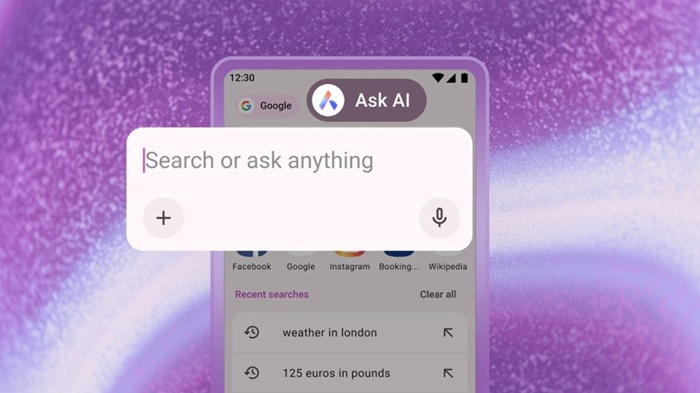
AI Access Directly from Search Bar
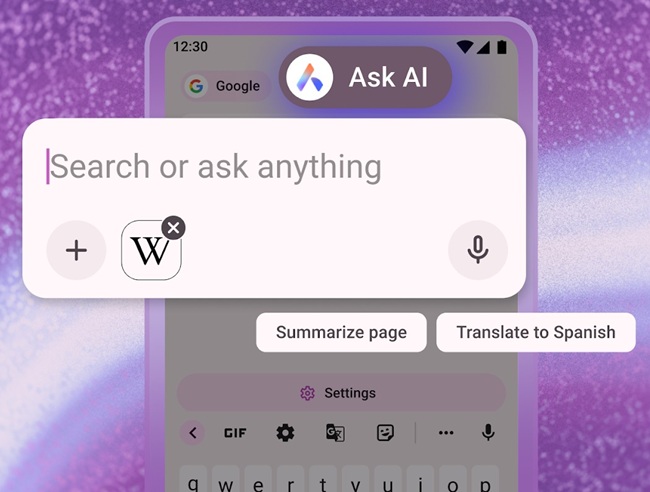
The browser now includes an Ask AI option inside the search bar, allowing users to switch between standard web search and AI-powered assistance in one tap. This makes it easier to explore information while browsing.
File Uploads and Camera Input
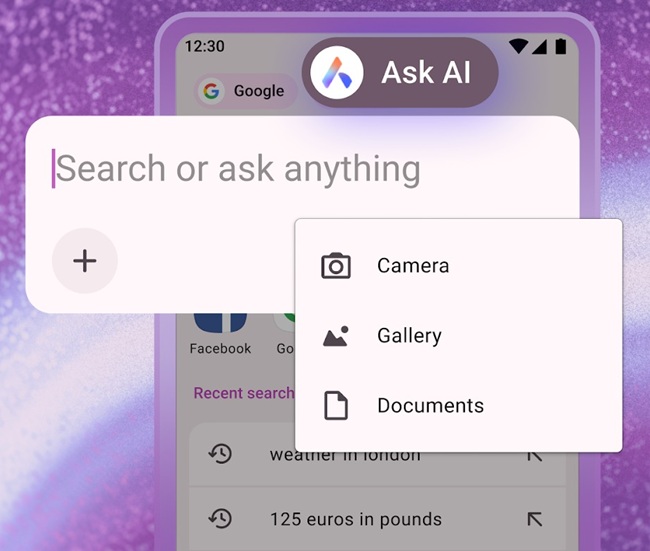
Users can now attach files – including images and documents – or capture photos with their phone’s camera. Opera’s AI can then translate, summarize, or explain the content, including follow-up Q&A.
How to upload files/images:
- Open the Ask AI panel
- Tap the + icon below the chat box
- Select a file or take a new photo
AI That Understands the Current Page
The update enables the browser to attach the active webpage as context when sending a query to AI, so users don’t need to manually explain what they’re viewing.
How to use page context:
- Open any webpage
- Tap the three-dot menu
- Select Ask AI
- The page is automatically added as a reference
Opera emphasized strong privacy and limited data handling:
- Only the selected tab’s content is accessible to AI
- Page context is sent only when needed
- All data is encrypted and auto-deleted after 30 days
- Information is not used for AI training or advertising

The AI upgrades are rolling out now on Opera for Android. Users can update the app via the Google Play Store if the features are not yet visible.